 This post is a cross post as these open source games are available for multiple OS's (even Android!). I was pretty happy to see ports of Duke Nukem 3D and Red Alert available. Ah, memories...
Tuesday, June 14, 2011
Open Source Games
This post is a cross post as these open source games are available for multiple OS's (even Android!). I was pretty happy to see ports of Duke Nukem 3D and Red Alert available. Ah, memories...
Saturday, June 4, 2011
Calibrate Touchscreen on Toughbook
 There's a great program called xinput_calibrator which will correctly calibrate touchscreens on Toughbooks. Latest version can be found at: freedesktop.org - Software/xinput_calibrator. You can also install via the Software Center and then it will appear under System Administration | Calibrate Touchscreen. I couldn't get the program to run properly from the menu system but the comand line ran just fine from the Terminal. To ensure the settings stick you'll need to run the utility, calibrate the screen (eg: touch the four x's) then make sure you copy the output from Terminal. Once you've done that you'll need to edit /etc/X11/xorg.conf:
sudo gedit /etc/X11/xorg.conf
just paste the output from the calibration utility anywhere in the file. Mine looked something like this:
Section
"InputClass" Identifier "calibration" MatchProduct "LBPS/2 Fujitsu Lifebook TouchScreen" Option "Calibration" "301 3941 270 3614"
EndSection
Thanks to the following sites:
http://forum.notebookreview.com/panasonic/524581-ubuntu-10-10-toughbook-version.html#post6788771
http://askubuntu.com/questions/4662/where-is-the-x-org-config-file-how-do-i-configure-x-there
Thursday, June 2, 2011
Openshot Video Editor
 Check out Openshot if you want a fully featured video editor for Linux (and who wouldn't want that???).
Tuesday, May 31, 2011
Install Printer (HP Laserjet CP1525nw)
 Go to "System" > "Administration" > "Printing".
Then from the window that opens up, you choose "Add", then click "Network Printer" and "Find Network Printer", then wait about 5-10 seconds, and you should see the "HP LaserJet CP1525nw" listed twice.
Choose the one that has the IP-address of the printer in round brackets. The one with the Mac address in round brackets will not work.
Click "Forward" and then pick "HP" from the list, click "Forward" again, then pick "Color LaserJet" from the list, and the driver "HP Color LaserJet Series PCL 6 CUPS".
Click "Forward", and "Forward" a second time since we have no duplexer on this unit, and finally choose a name (or use the pre-filled one if you like) and finally click "Apply". Now you can print a test page, and then you are done!
Thanks to odinb: http://ubuntuforums.org/showthread.php?t=1650424
Thursday, May 26, 2011
Linux Mint 11 Katya Released!
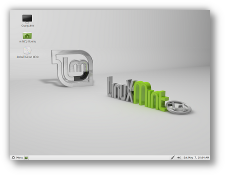 Whoo Hoo! Linux Mint 11 (Katya) has just been released, lot's of new goodies and improvements. The CD version now ask's you if you want to upgrade to the DVD install during install and has menu items to upgrade. Now comes with Libre Office and Firefox 4. Katya now has a desktop config tab to disable the annoying cow in the terminal (one of my pet hates).
Tuesday, May 24, 2011

Tuesday, May 17, 2011
Nightingale Media Player
 The Nightingale media player (looks like it's based on the Songbird media player) is approaching completion. Looks really nice, can't wait to test it out.
Subscribe to:
Posts (Atom)